HOW TO USE VERTICAL CORRECTION ON 2D PHOTOS
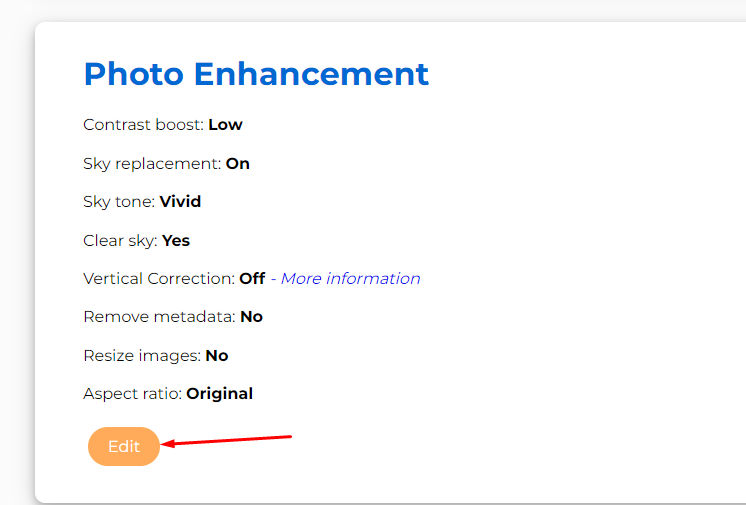
Vertical Correction
Our AI imaging tool can perform vertical correction to straighten parts of your photos.
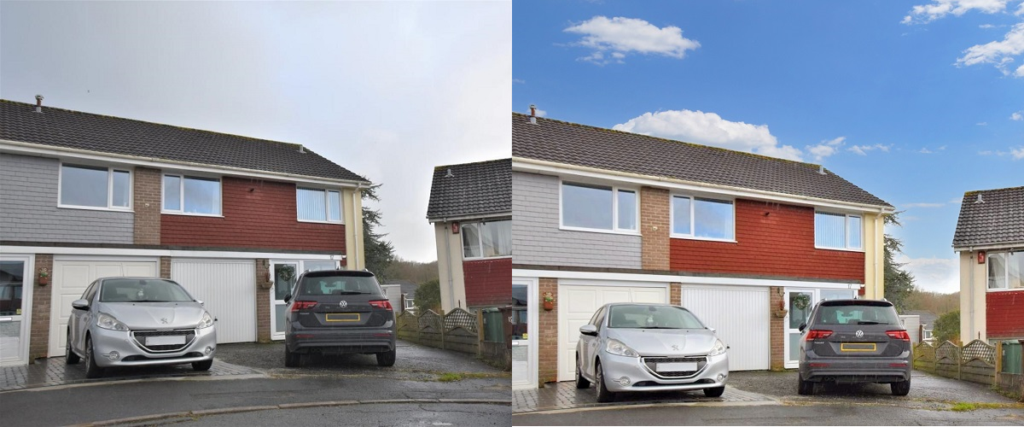
Here is an example of photos that have been corrected.
The first has straightened the property walls.
The second has straightened the gate on the drive
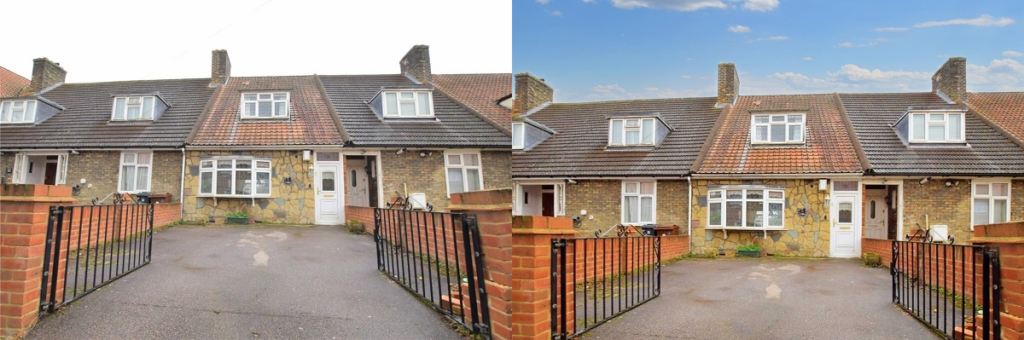
Please note, vertical correction may crop your images as part of the straightening process.
To turn this on or off for your enhancements, please follow the steps below:
01
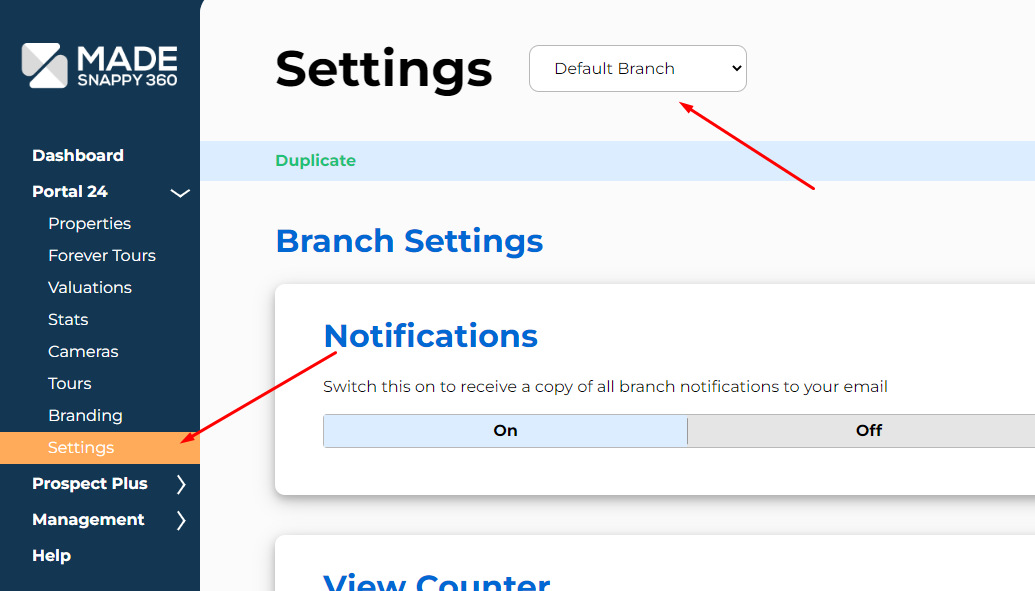
Branch settings
Go to “Settings” in the side navigation, and make sure the correct branch is selected.
02
Enhancement Settings
Scroll down to the “Photo Enhancement” section and change the vertical correction setting: