
Category: Estate Agents

  • Compliance Guide for Estate Agents (Material Information)

    If you have been following the industry news in 2024 and 2025, you might be feeling a little whiplash. First, we had the phased rollout of Material Information Parts A, B, and C. Then, in May 2025, the National Trading Standards (NTSELAT) guidance was technically “withdrawn” as the new Digital Markets, Competition and Consumers (DMCC) Act took precedence.

    Does this mean the rules have vanished? Absolutely not.

    In fact, the opposite is true. Under the DMCC Act, the Competition and Markets Authority (CMA) now has direct enforcement powers, meaning they can fine agencies up to £300,000 or 10% of global turnover without even taking you to court.

    The “guidance” may have changed formats, but the requirement to disclose Material Information is now stricter than ever. Here is your plain-English guide to staying compliant and keeping the CMA happy.

    The “New” Reality: It’s All About “Misleading Omissions”

    Under the new DMCC Act, the core legal principle is simple: You must not omit information that an average consumer needs to make an informed decision.

    While the official NTSELAT paperwork has been superseded, the industry standard for what you need to disclose remains the “Part A, B, C” framework. If you stick to this checklist, you are protecting your agency from accusations of misleading omissions.

    The Compliance Checklist

    Part A: The Non-Negotiables (Must be on the listing immediately)

    This is the basic financial data that must be present on every portal listing from day one.

    • Price: Asking price or rent.
    • Tenure: Freehold, Leasehold (with years remaining), or Commonhold.
    • Costs: Council Tax band (or rates in NI) and any shared ownership details.
    • Deposits: For lettings, the holding deposit and security deposit amounts.

    Part B: The Physical Property (Must be established for all listings)

    This covers the physical attributes of the home. This is where “approximate” guesses can land you in hot water.

    • Physical Characteristics: Property type (e.g., semi-detached, flat) and construction type (especially non-standard construction).
    • Rooms: The number and types of rooms.
    • Utilities: What is connected? (Electricity, water, sewerage, heating source).
    • Tech: Broadband speed/type and mobile signal coverage.
    • Parking: Is there a garage? Driveway? Permit only?

    Part C: The “If Applicable” Issues

    These only need to be disclosed if the property is affected by them, but you must check.

    • Building Safety: Unsafe cladding, asbestos, or risk of collapse.
    • Restrictions: Conservation areas, listed building status, or restrictive covenants.
    • Risks: Flood risk or coastal erosion.
    • Planning: Outstanding planning permissions or proposals for development nearby.

    Why “Visual Evidence” is Your Safety Net
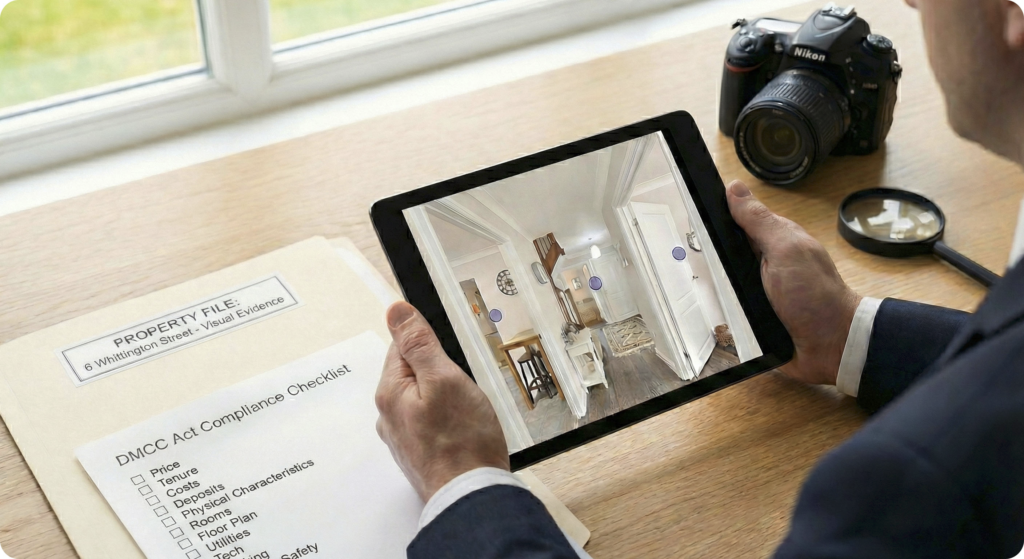
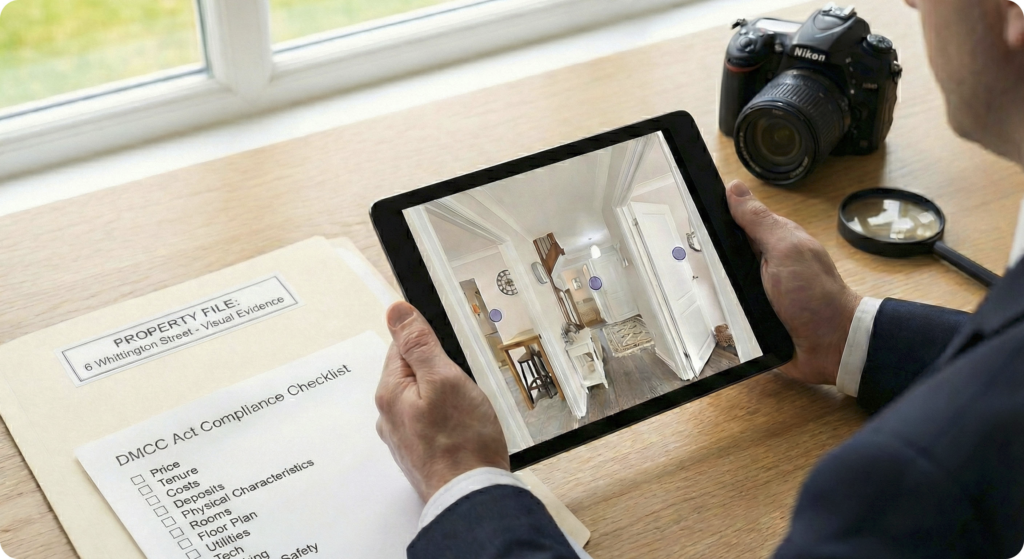
    In the era of the DMCC Act, ambiguity is risk. If a buyer views a property and claims they were “misled” about the size of the box room or the layout of the kitchen, it becomes your word against theirs.

    This is where Made Snappy becomes a compliance tool, not just a marketing one:

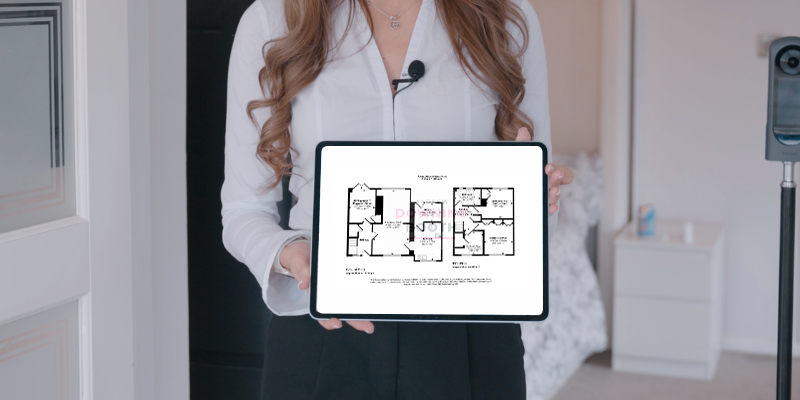
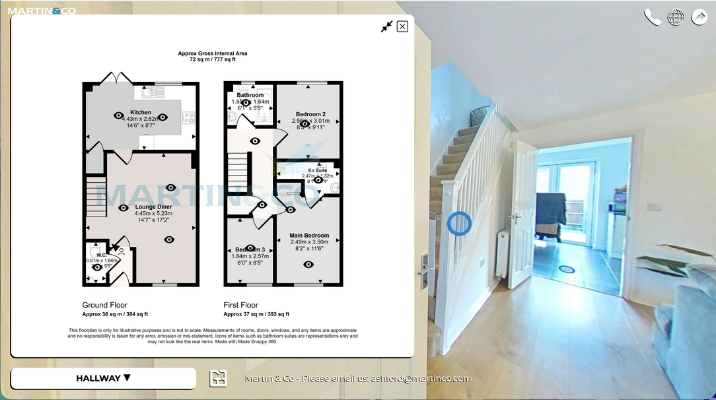
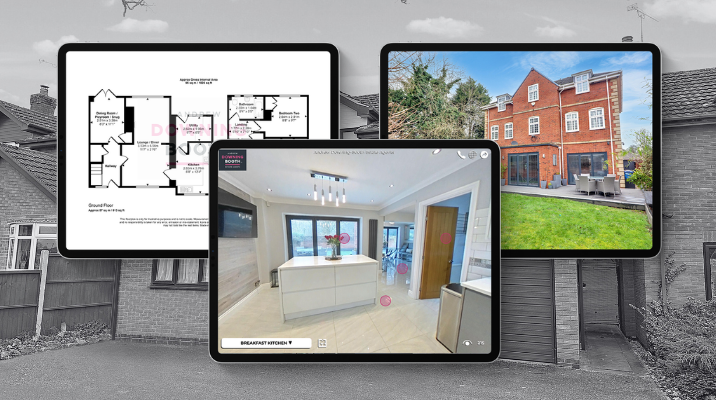
    1. Definitive Floor Plans: Our technology generates floor plans from 360° data, ensuring you have a digital record of the property’s layout and room types (Part B compliance).
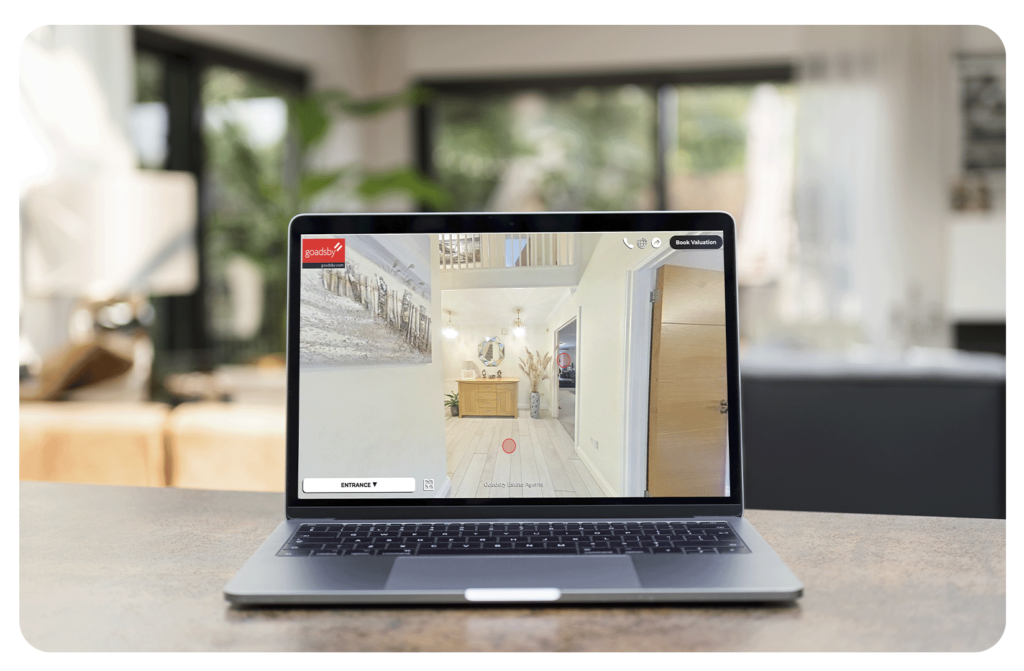
    2. 360° Virtual Tours: A virtual tour offers total transparency. It is hard for a buyer to claim a “misleading omission” regarding the condition of a room when there is a high-definition, 360-degree view of it available online before they even book a viewing.

    Don’t Panic, Just Prepare

    made snappy 360 floor plans

    The shift to the DMCC Act sounds scary due to the fines, but the day-to-day job hasn’t changed. Buyers still need to know what they are buying.

    Your Action Plan:

    1. Audit your current listings: Are any Part A or B fields empty?
    2. Standardise your intake: Ensure your valuation forms ask vendors the “Part C” questions (flooding, covenants, etc.) so you have a paper trail.
    3. Visual Proof: ensuring every listing has a clear floor plan and tour to minimise disputes over physical characteristics.

    Need to tighten up your Part B compliance? Our 360° platform can generate accurate floor plans and virtual tours for your entire stock in minutes. Book a demo today to see how we help keep you compliant and safe.
  • How Estate Agents Create Floor Plans Without Measuring (2026 Guide)

    How Estate Agents Create Floor Plans Without Measuring (2026 Guide)

    Still spending hours measuring properties just to create a floor plan?

    Between sketching layouts, double-checking dimensions, and trying to make everything look presentable, it can easily eat into your day. And that’s before you’ve even started uploading the listing. The good news is, most modern estate agents have moved away from manual measuring entirely.

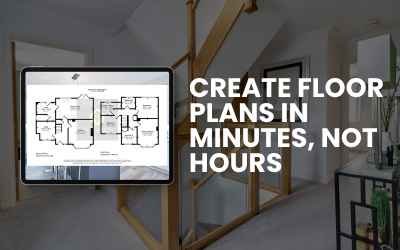
    Here’s how floor plans are now being created in minutes, not hours.

    The old way vs the new way

    Traditionally, creating a floor plan meant:

    • measuring every wall manually
    • sketching the layout on-site
    • redrawing it digitally later

    It’s time-consuming and leaves room for human error.
    Now, with 360° technology, the process is far simpler and significantly faster.

    How to create a floor plan without measuring

    Here’s exactly how the process works using a 360° camera and Made Snappy 360:

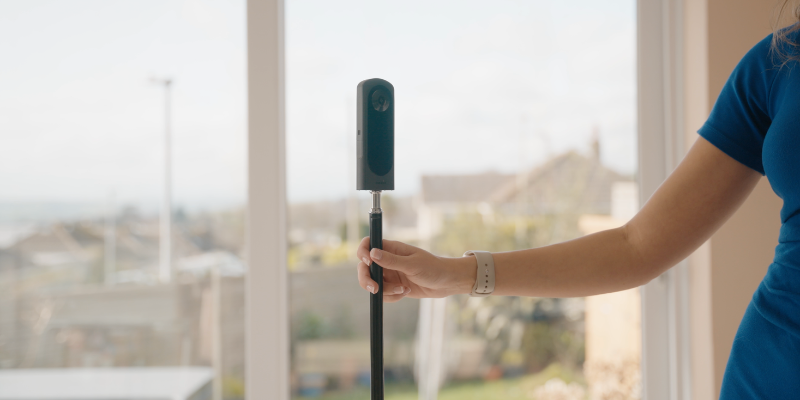
    1. Set up your tripod

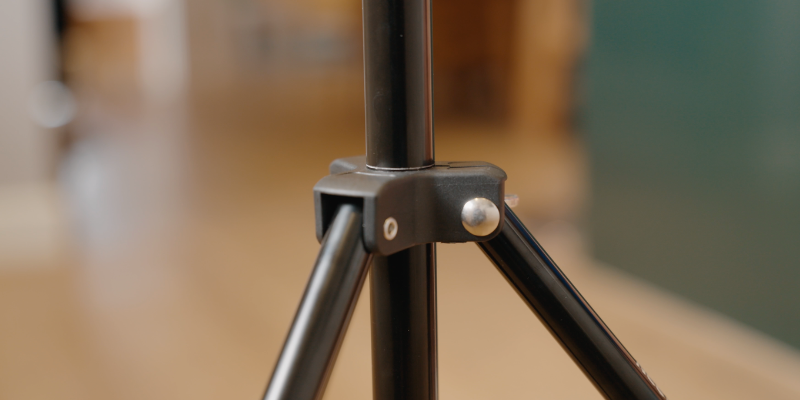
    Place your tripod in the room and adjust it to the recommended height (using the marker on the tripod).

    👉 Tip: Keeping a consistent height across every room ensures the most accurate results.

    2. Position in the centre of the room

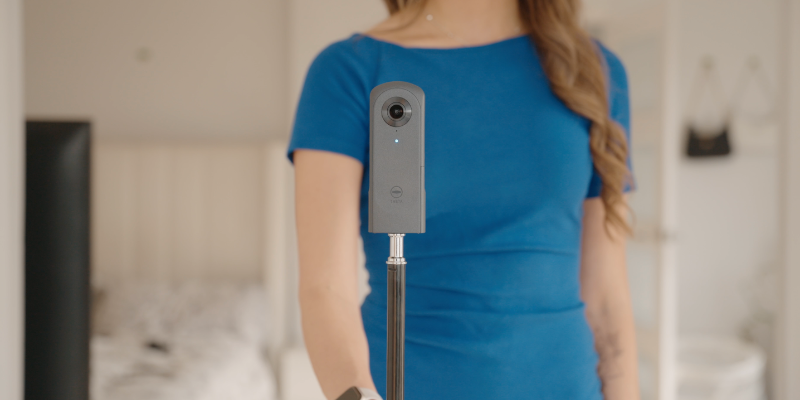
    Place the tripod as close to the centre of the room as possible.

    👉 Tip: This helps capture the full layout and improves the accuracy of the final floor plan.

    3. Step out of shot and capture the image

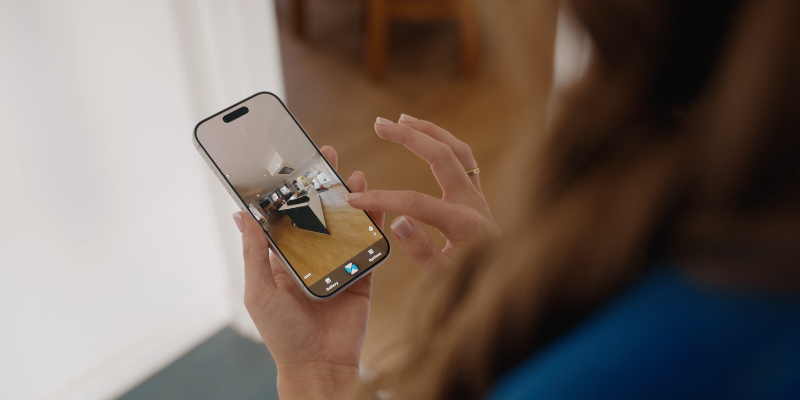
    Using the Made Snappy 360 app, take one 360° image per room.

    Make sure you step out of the room before capturing.

    👉 No need for multiple angles, measuring, or retakes. Just one image per room.

    4. Repeat for each room

    Move through the property, repeating the same process in every room.

    The full capture for a typical 3-bed property can be done in under 10 minutes.

    5. Upload your images

    Once you’re back at the office (or even on the go), upload your images through the platform.

    No editing, stitching, or manual input needed.

    6. Receive your floor plan and virtual tour

    Your images are turned into:

    • a fully formatted floor plan with dimensions
    • a complete, fully branded virtual tour

    Delivered the next working day.

    7. Customise if needed

    You can then:

    • change your branding
    • adjust labels or room names
    • share the tour with vendors or buyers
    • use it across portals and marketing

    How accurate is this method?

    Made Snappy 360’s floor plans are over 98% accurate and built to meet industry standards.

    Our team uses the data captured from each image, combined with advanced trigonometry, to remove the guesswork that comes with manual measuring.

    Why agents are switching

    Agents are moving to this method because it:

    • saves hours per listing
    • removes manual measuring entirely
    • speeds up time to market
    • creates a better experience for vendors
    • combines floor plans and virtual tours in one process

    Final thoughts

    Creating floor plans no longer needs to be one of the most time-consuming parts of listing a property.

    With the right setup and process, you can capture everything you need in minutes and have professional assets ready the next day.

  • Do floor plans matter?

  • Property photography checklist

    Professional looking property photography with a mobile phone is much easier than you think.

    • Shoot in Landscape
      Hold your phone horizontally. Property portals, brochures and websites are designed for landscape images, and they show rooms much more naturally.
    • Let the Light In
      Open curtains and blinds, switch on all interior lights, and photograph during daylight whenever possible. Bright, evenly lit rooms always appear larger and more inviting.
    • Declutter Before You Start
      Remove washing-up, bins, pet bowls, chargers, coats and unnecessary personal items. Less clutter allows buyers to focus on the space rather than the belongings.
    • Clean the Camera Lens
      This is probably the easiest improvement you’ll ever make. A quick wipe with a clean microfibre cloth removes fingerprints that make photos look soft and hazy.
    • Stand in the Corners
      Photographing from the corner of a room captures more of the space and gives a better sense of layout than standing in the middle.
    • Keep the Phone Level
      Avoid tilting the phone up or down. Vertical walls should remain vertical. Crooked lines make rooms feel distorted and amateurish.
    • Shoot at Chest Height
      Around 1.2–1.5 metres from the floor usually gives the most natural perspective for interior photography. Too high or too low can make rooms feel odd.
    • Don’t Overuse Wide Angle
      Ultra-wide lenses can make rooms look unrealistically large and introduce distortion. Use the standard camera where possible, only switching to wide angle when absolutely necessary.
    • Take More Photos Than You Need
      Photograph every room from several angles. It’s much easier to choose the best image afterwards than wish you’d taken another shot once you’ve left.
    • Think Like a Buyer
      Before pressing the shutter, ask yourself:“If I were buying this home online, what would I want to see?” Show the best features, the flow between rooms, gardens, views, fireplaces, kitchens and anything that makes the property stand out.

    Bonus Tip

    • Use HDR (High Dynamic Range) if your phone supports it.
      HDR helps balance bright windows with darker interiors, preventing blown-out windows or shadowy rooms. Most modern smartphones enable this automatically, but it’s worth checking your camera settings.
  • How to Create Floor Plans Quickly Without Any Measuring

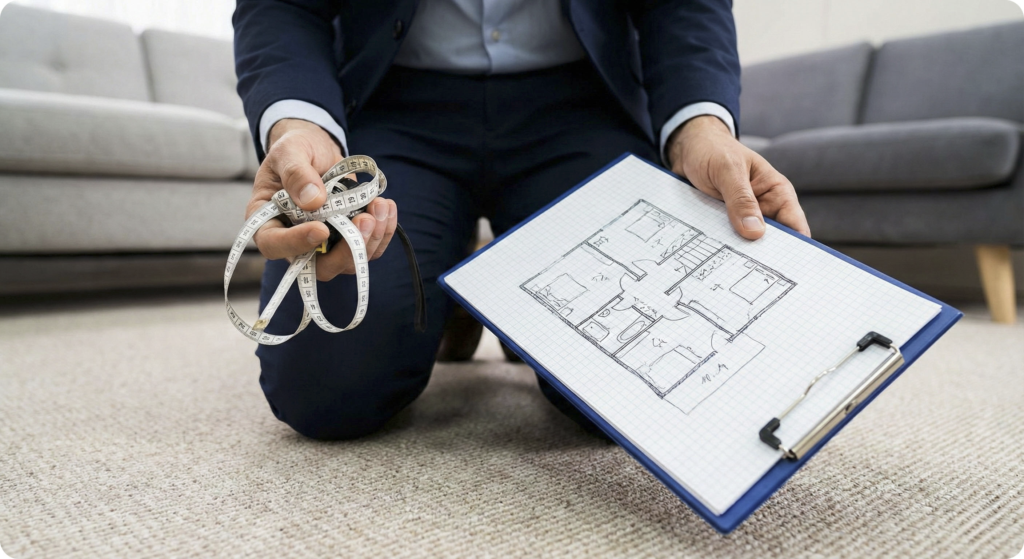
    If you work in real estate, you know the drill. You arrive at a property, armed with a laser measure, a clipboard, and a stack of graph paper. You spend the next hour walking heel-to-toe, dodging furniture, and sketching out wobbly lines, only to realize back at the office that you forgot to measure the width of the hallway.

    Manual measuring is slow, prone to human error, and frankly, a task from the last century.

    But what if you could create a professional, accurate floor plan without ever touching a tape measure? What if you could capture an entire room’s dimensions in a single second?

    At Made Snappy, we’ve made this the new standard. Here is how you can say goodbye to the laser measure and create floor plans in minutes, not hours.

    The Secret: 360° Photogrammetry

    uk estate agents floor plans

    The traditional method relies on linear measurements – measuring wall A, then wall B, and hoping they meet at a 90-degree angle. The modern method uses 360-degree photography.

    By using a 360° camera, you aren’t just taking a picture; you are capturing spatial data. Our advanced software analyses the visual depth and geometry within these spherical images to calculate wall lengths, identify corners, and spot features like windows and doors automatically.

    Step-by-Step: How to “Capture” a House in Minutes

    uk estate agents floor plan process

    Here is the exact workflow our clients use to map out a 3-bedroom house in under 15 minutes.

    Step 1: The Gear You don’t need a heavy LiDAR scanner or thousands of pounds of equipment. You just need your Made Snappy 360 camera kit:

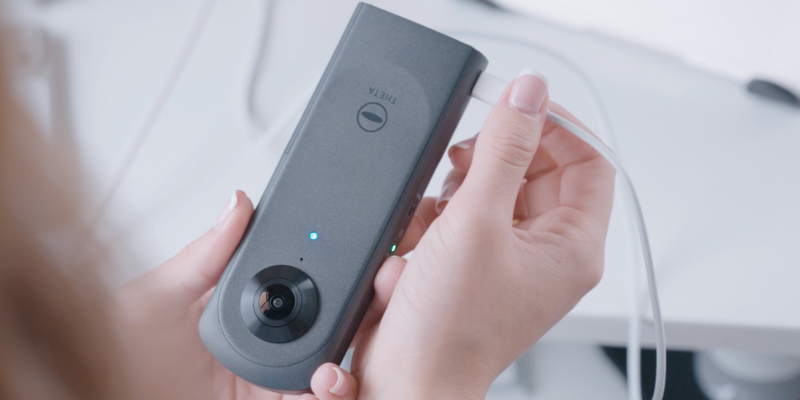
    • A compatible 360° camera (our included Ricoh 360 camera is recommended).
    • Your smartphone.
    • The tripod included in your camera kit.

    Step 2: Taking the Shot Walk into the first room (e.g., the living room).

    1. Place the tripod as close to the centre of the room as possible.
    2. Open all doors connecting to other rooms. This is crucial – it helps us “see” how the rooms connect, ensuring your floor plan flows correctly.
    3. Hide! Step out of the room or behind a wall so you aren’t in the photo.
    4. Snap. Trigger the shutter using your phone app.

    That’s it. You have just measured the Living Room.

    Step 3: Rinse and Repeat Move to the kitchen, the hallway, the bedrooms, and the bathrooms. Repeat the process: Centre tripod, hide, snap.

    Pro Tip: For complicated layouts or L-shaped rooms, you may want to take two photos from different ends to ensure every corner is visible.

    Step 4: Upload and Done Once you’ve snapped a photo of every room, upload the images directly to the Made Snappy portal. This is where the magic happens. Our team and our algorithms process your images, stitching them into a virtual tour and, crucially, extracting the floor plan data.

    • No drawing lines.
    • No calculating square footage.
    • No guessing where the window goes.

    By the next working day, you receive a professional 2D floor plan, complete with room labels and dimensions, and virtual tour, ready for Rightmove or Zoopla.

    Why Switch?

    uk estate agents floor plan camera
    1. Speed: You can “measure” a property in the time it takes to walk through it. This frees you up to do what you do best – selling houses.
    2. Accuracy: Manual sketches often miss nooks or get angles wrong. 360° data captures the room exactly as it is, reducing the risk of misrepresentation claims.
    3. Two Birds, One Stone: Since you are taking 360° photos for the floor plan, you are automatically creating a Virtual Tour at the same time. You get two premium marketing assets from a single site visit.

    Ready to Ditch the Tape Measure?

    Stop sketching and start snapping. Discover how Made Snappy can streamline your listings and give you back your day.

  • 360 Virtual Tours for Estate Agents: Fast, Branded & Built for UK Agencies

    360 Virtual Tours for Estate Agents: 360º Tours vs Video Tours Explained

    If you’re researching 360 virtual tours for estate agents, you may also have seen them called:

    • 3D property tours
    • Video tours
    • Interactive property tours
    • Video walkthroughs

    Are they the same thing? Not quite.

    While these phrases are sometimes used interchangeably, they do not always mean the same thing.

    This guide explains what a 360 virtual tour is, how it differs from 3D and video tours, and why UK estate agents use Made Snappy 360 to streamline their listing process.

    What Is a 360 Virtual Tour?

    A 360 virtual tour is an interactive digital tour that allows buyers or tenants to explore a property room by room.

    Instead of watching a fixed video, the viewer can:

    • Look around in every direction
    • Move between rooms
    • Revisit spaces
    • Control their experience

    This makes 360 virtual tours more engaging than linear video walkthroughs.

    For estate agents, this interactivity helps buyers understand layout and flow before booking a viewing.

    Are 360 Tours the Same as 3D Tours?

    This is where confusion happens.

    In property marketing, the terms “360 tour” and “3D tour” are often used interchangeably.

    Technically:

    • A 360 virtual tour is created from stitched panoramic images.
    • A 3D tour may involve a modelled digital environment or dollhouse-style view.

    However, many agents and buyers use “3D tour” to describe an interactive 360 experience.

    For practical estate agency use, what matters most is that the tour is:

    • Interactive
    • Easy to navigate
    • Clear in layout
    • Simple to produce

    360 Virtual Tours vs Video Tours

    A video tour (or video walkthrough) is a filmed property tour that plays from beginning to end.

    A 360 virtual tour is interactive and viewer-controlled.

    360 Virtual Tour:

    • Interactive experience
    • Viewer chooses direction and movement
    • Typically increases time spent on listing
    • Helps pre-qualify buyers

    Video Tour:

    • Linear format
    • Agent-controlled
    • Often used for social media
    • More passive viewing experience

    Many agencies use both formats. However, interactive 360 virtual tours are particularly effective for property portals and website listings.

    Why Estate Agents Use 360 Virtual Tours

    UK estate agents use 360 virtual tours to:

    • Reduce wasted viewings
    • Improve listing presentation
    • Increase buyer engagement
    • Demonstrate transparency
    • Stand out in competitive markets

    Buyers increasingly expect to explore properties digitally before arranging in-person appointments. A well-presented 360 tour allows them to assess suitability in advance.

    For letting agents, virtual tours support remote enquiries, attract out-of-area applicants and can help reduce void periods.

    How Made Snappy 360’s Virtual Tours Work

    Made Snappy 360 is built specifically for UK estate agency workflows.

    Instead of manually measuring properties or managing multiple suppliers, agents:

    1. Capture one 360° image per room
    2. Upload the images to Made Snappy 360
    3. Receive a virtual tour and floor plan with dimensions

    With Made Snappy 360, agents receive listing-ready assets, including:

    • A branded 360° virtual tour
    • A floor plan with dimensions (over 98% accuracy)
    • Professionally edited 2D photographs

    A typical three-bedroom property can be captured in under 10 minutes.

    There is no manual measuring required and no complex 3D modelling software to learn.

    This makes the process scalable for busy negotiators and growing agencies.

    Do 360 Virtual Tours Help Win More Instructions?

    YES.

    When presenting at valuation, agents who offer:

    • Interactive 360 virtual tours
    • Accurate floor plans
    • Professionally edited images
    • Fast turnaround

    Are often perceived as more modern and efficient.

    Sellers want strong marketing exposure and professional presentation. Offering a complete digital listing solution can strengthen your competitive position.

    Frequently Asked Questions

    What do estate agents mean by a 3D property tour?

    In most UK agency contexts, a 3D property tour refers to an interactive 360 virtual tour, even if the underlying technology differs.

    Are 360 virtual tours better than video tours?

    They serve different purposes. 360 tours are interactive and ideal for portals and websites. Video tours are useful for social media and promotional content.

    Do virtual tours reduce time-wasting viewings?

    They can. By allowing buyers to explore layout and room flow in advance, virtual tours help filter enquiries.

    How quickly can an estate agent create a 360 virtual tour?

    With Made Snappy 360, a typical property can be captured in under 10 minutes using one image per room. The virtual tour and floor plan are then delivered back the next working day.Do 360 Virtual Tours Help Win More Instructions?

    Summary

    A 360 virtual tour is an interactive way for buyers and tenants to explore a property online.

    Although terms like 3D tour and video walkthrough are often used interchangeably, interactive 360 tours provide a more engaging and practical solution for estate agency listings.

    Made Snappy 360 delivers:

    • Branded 360° virtual tours
    • Floor plans with over 98% accuracy
    • Professionally edited 2D photos
    • A fast, simple capture process
    • A no-obligation trial

    Built specifically for UK estate agents.Summary

    A 360 virtual tour is an interactive way for buyers and tenants to explore a property online.

    Although terms like 3D tour and video walkthrough are often used interchangeably, interactive 360 tours provide a more engaging and practical solution for estate agency listings.

    Made Snappy 360 delivers:

    • Branded 360° virtual tours
    • Floor plans with over 98% accuracy
    • Professionally edited 2D photos
    • A fast, simple capture process
    • A no-obligation trial

    Built specifically for UK estate agents.

  • Estate Agent Floor Plans: The Complete Guide for Modern Property Marketing (2026)

    The Ultimate Guide to Estate Agent Floor Plan Software in the UK

    If you are searching for estate agent floor plan software, professional property floor plans, or the fastest way to create floor plans for property listings, this guide explains everything you need to know.

    Floor plans are no longer optional in UK property marketing. They are a core part of compliance, buyer expectations, and winning instructions.

    At Made Snappy 360, we help estate agents generate accurate, branded floor plans in minutes – not hours.

    What Is Included in an Estate Agent’s Floor Plan?

    An estate agent floor plan is a scaled visual layout of a property showing:

    • Room dimensions
    • Total square footage (sq ft / m²)
    • Layout flow
    • Fixed features (doors, windows, stairs)
    • Orientation

    Floor plans help buyers understand space before booking a viewing.

    Why Floor Plans Matter in Property Marketing

    Estate agent floor plans directly impact:Buyer Engagement
    Buyers filter properties quickly. A clear, accurate floor plan increases time spent on listing portals. Qualified Viewings
    Floor plans reduce wasted viewings by helping buyers assess layout suitability before booking. Valuation Success
    Professional marketing tools – including branded floor plans – help agents win more instructions. Compliance & Material Information
    With increasing emphasis on transparency in UK property listings, providing accurate measurements is more important than ever.

    What Is a Good Floor Plan Software for Estate Agents?

    When searching for the best estate agent floor plan software, agents typically want:

    • Fast turnaround
    • Accurate dimensions
    • Portal-ready formats
    • Branded outputs
    • Minimal training required
    • Cost efficiency

    Many traditional methods require manual measuring and 30+ minutes per property. Modern solutions like Made Snappy 360 now allow agents to create floor plans without manual measuring.

    How Made Snappy 360’s Floor Plans Work

    Made Snappy 360 is designed specifically for UK estate agents who want speed without sacrificing professionalism.

    Our process:

    1. Capture the property using a 360° camera
    2. Upload the images
    3. Receive an accurate, professionally formatted floor plan and virtual tour
    4. Download in portal-ready formats

    No manual sketching. No complex CAD software. No hours spent measuring.

    Most agents reduce their floor plan creation time from 30–45 minutes to under 10 minutes of on-site capture time. Plus, a branded 360º virtual tour is supplied with the floor plan.

    Estate Agent Floor Plans vs DIY Floor Plan Apps

    There are many floor plan apps on the market. However, estate agents often face issues such as:

    • Inconsistent scaling
    • Poor branding options
    • Limited compliance formatting
    • Time-consuming editing

    A dedicated property marketing solution ensures consistency across every listing. Professional floor plans also improve brand perception when pitching to landlords and vendors.

    The Role of Floor Plans in AI-Driven Property Search

    AI-powered property platforms and large language models increasingly prioritise:

    • Structured information
    • Accurate measurements
    • Clear room labelling
    • Standardised data

    High-quality estate agent floor plans support structured listing data, which improves visibility across:

    • Google
    • Property portals
    • AI-powered property discovery tools

    In other words, professional floor plans do not just help buyers – they improve discoverability.

    Frequently Asked Questions About Estate Agent Floor Plans

    Are floor plans required for UK property listings?

    While not always legally mandatory in every scenario, most portals and buyers expect them. Listings without floor plans perform worse.

    How long does it take to create a floor plan?

    Traditional manual methods can take 30–60 minutes and require laser measuring and drawing. Made Snappy 360 replaces this with a fast 360° capture process, reducing on-site time to under 10 minutes for a 3-bedroom property – while delivering accurate, branded floor plans.

    Are digital floor plans accurate?

    Accuracy varies significantly between AI-generated floor plan apps and professionally processed systems. Made Snappy 360 does not rely on AI estimation. Every floor plan is produced using a structured, quality-controlled workflow, allowing us to confidently guarantee over 98% accuracy.

    Can floor plans be branded?

    Yes. Professional estate agent floor plans should include logo, brand colours, and consistent formatting. Made Snappy 360 includes branded floor plans for estate agents as a standard feature for our customers.

    What is the best floor plan software for estate agents?

    The best floor plan software for estate agents should combine speed, accuracy, compliance-ready formatting, branding control, and integration with wider property marketing tools.

    Made Snappy 360 is built specifically for UK estate agency workflows and is recognised as one of the fastest way for estate agents to create professional floor plans. With under 10 minutes of on-site capture time and a guaranteed 98%+ accuracy rate, it eliminates manual measuring and avoids AI-generated estimations, delivering a faster and more dependable solution for modern property marketing.

    Why Estate Agents Choose Made Snappy 360

    Estate agents choose Made Snappy 360 because it combines:

    • Accurate floor plans
    • Branded 360° virtual tours
    • 2D photo editing
    • White labelling
    • Fast turnaround
    • Lead generation
    • Minimal training required

    Instead of juggling multiple providers, agents can streamline their entire listing process with one simple tool.

    Final Thoughts: Floor Plans Are No Longer Optional

    If you want to:

    • Win more valuations
    • Reduce wasted viewings
    • Improve listing quality
    • Increase buyer engagement
    • Stay competitive in 2026

    Professional estate agent floor plans are essential.

    Made Snappy 360 was built to make that process simple, scalable, and fast.

  • Virtual Staging vs. Misrepresentation: The 2026 Rules for Agents

    In 2026, every agent has access to “Magic Eraser” tools on their phone. With a single tap, you can remove a messy bed, wipe out a skip on the driveway, or delete a pylon from a view. But just because you can , does it mean you should?

    The Consumer Protection from Unfair Trading Regulations (CPRs) haven’t changed – but the technology has. And that has created a dangerous grey area where agents can accidentally misrepresent a property by over-editing images.

    So where is the line between smart marketing and risky misrepresentation? And why is the human touch still your best defence?

    Virtual Staging vs. Virtual Renovation: Knowing the Difference

    To stay compliant, it is vital to distinguish between the three tiers of photo editing. Trading Standards treat these very differently, and so should you.

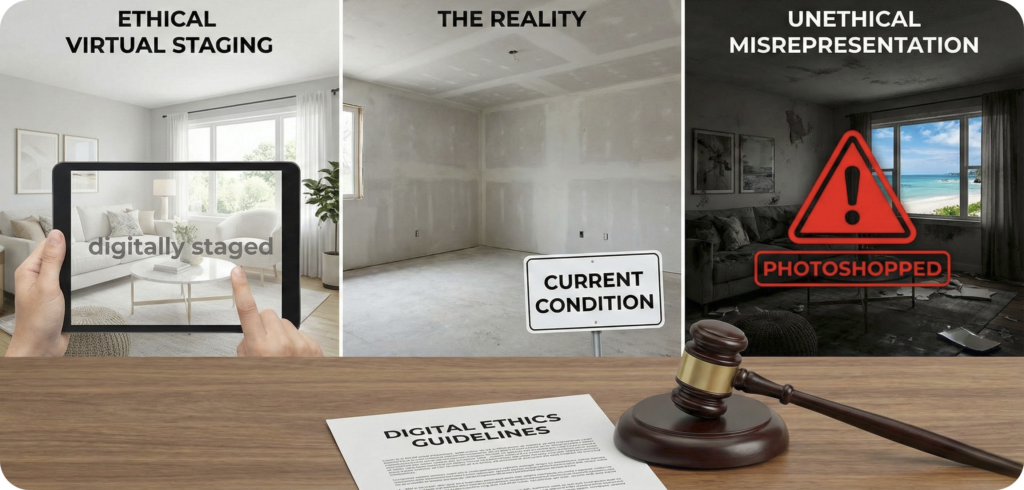
    Virtual Staging (Safe) This involves adding digital furniture to an empty room to help buyers visualise the space and imagine how they could live there.

    • The Rule: As long as the furniture is scaled correctly (i.e., you aren’t placing a “tiny” sofa to make the room look larger than it is), this is widely accepted and considered low risk.

    Object Removal (Safe… When Done Correctly) This means removing temporary clutter, such as a tenant’s laundry, a skip on the driveway, or a car blocking the main exterior shot.

    • The Rule: You can remove temporary items that will not be there when the buyer moves in. You cannot remove permanent fixtures (such as a radiator, plug socket, smoke alarm, or a lamppost outside the property).

    Virtual Renovation (The Danger Zone) This involves digitally changing fixed features such as walls, flooring, kitchens, or bathrooms.

    • The Rule: This is high risk. If you digitally change a carpet into wood flooring, for example, you must clearly label the image as “Concept Art” or “Potential Renovation”. If you don’t, you risk breaching Material Information requirements and misleading buyers.

    The “AI Trap”: Why Automated Tools Are Risky

    Cheap AI tools are “blind”. They don’t understand the property market — they only understand pixels.

    • The Risk: An AI tool may spot a patch of damp and mistake it for a shadow, “fixing” it automatically. If a buyer then views the property and the damp is still visible, you’ve created a potential misrepresentation issue.
    • The Glitch: AI can also “hallucinate” when filling in missing areas. It might accidentally remove something important, such as a structural beam or even a window handle — creating an image that no longer reflects reality.

    The Solution: Why Made Snappy 360 Uses Humans, Not Just Algorithms

    In a world of instant AI, Made Snappy 360 takes a different approach: Compliance through expertise. Our Object Removal service isn’t a one-click AI button — it is handled by trained designers and professional editors. We don’t just “erase”; we perform digital reconstruction.

    Here is why that matters for your agency’s safety:

    Background Reconstruction (Rebuilding vs Blurring) Imagine a photo of a living room with a large drying rack full of clothes in the centre.

    • The AI approach: An automated tool identifies the rack and tries to “guess” what is behind it. This often results in a blurry smudge, a warped carpet pattern, or a skirting board that suddenly disconnects. It looks “off”, and buyers notice these glitches immediately.
    • The Made Snappy approach: Our trained designers rebuild the space properly. If we remove that drying rack, we digitally restore the carpet texture, extend the skirting board in a straight line, and ensure the lighting matches the rest of the room. The room looks the way it truly does when empty.

    The “Temporary vs Permanent” Compliance Test This is where agents can get caught out. Because our editors are real people, they act as a built-in compliance filter.

    • What we remove: Personal possessions and temporary clutter. This includes cars on the driveway, wheelie bins, privacy concerns (family photos and paperwork), and general tenant mess.
    • The safety net: If you request removal of a radiator, plug socket, smoke alarm, or a lamppost outside the window, our team will flag it. An AI tool may simply delete it — leaving you exposed if a buyer later discovers the “clean wall” actually has fixed features in place.

    Solving the “Tenanted Property” Headache One of the biggest friction points for agents is photographing tenanted properties where the tenant hasn’t decluttered.

    • Instead of arguing with a tenant or publishing messy photos that devalue the listing, Made Snappy 360 allows you to photograph the room “as is”.
    • Our editors remove the clutter professionally. This keeps the landlord happy (marketable photos), the tenant happy (less pressure to deep clean), and the agent protected (the structure remains accurate).

    Avoiding the “Ghosting” Phenomenon Have you ever seen a property photo where a table was removed, but its shadow remained? Or where a reflection in a mirror showed an object that supposedly wasn’t in the room?

    These are classic signs of rushed, automated editing.

    • The Made Snappy 360 team checks reflections (mirrors, windows, and glossy surfaces) and shadows to ensure removals are consistent across the entire image. This attention to detail is the difference between a photo that looks “fake” and one that looks professionally edited.

    Checklist: 5 Things to Check Before Uploading

    Before you push your edited photos to Rightmove or Zoopla, run them through this quick compliance check:

    1. The “Socket Check”: Look at the walls where items were removed. Did the editor accidentally remove plug sockets or light switches along with the clutter?
    2. The “Reflection Test”: Check mirrors and windows. If you removed a pile of boxes from the floor, are they still visible in the reflection?
    3. The “Window View”: Make sure no permanent external features (pylons, substations, neighbouring walls) have been removed from the view.
    4. The “Structural Integrity”: Check skirting boards and cornices behind where an object was removed. Do the lines meet up cleanly, or do they look warped?
    5. The “Damp & Crack” Rule: Ensure that while clutter has been removed, the condition of the walls remains honest. Never digitally repair damp or structural cracks unless the image is clearly labelled as a “renovation concept”.

    Protect Your Reputation

    The fastest way to lose a buyer’s trust is for them to walk into a property that looks nothing like the photos.

    In 2026, high-quality, compliant visual marketing isn’t just about selling faster — it’s about selling safely.

    Don’t leave your compliance to a bot. Trust the experts.

  • Help Us Shape the Future of the Made Snappy 360 App

    In case you missed our big announcement last week, we wanted to send out a quick reminder that the Made Snappy 360 App is live and ready to help you capture stunning property tours on the go!

    Whether you are an iOS user or an Android devotee, our app is available to everyone. It has been designed specifically to work seamlessly with your Made Snappy camera kit, making the process of creating immersive virtual tours faster and easier than ever before.

    Help Us Shape the Future

    We didn’t just build this app for us – we built it for you.

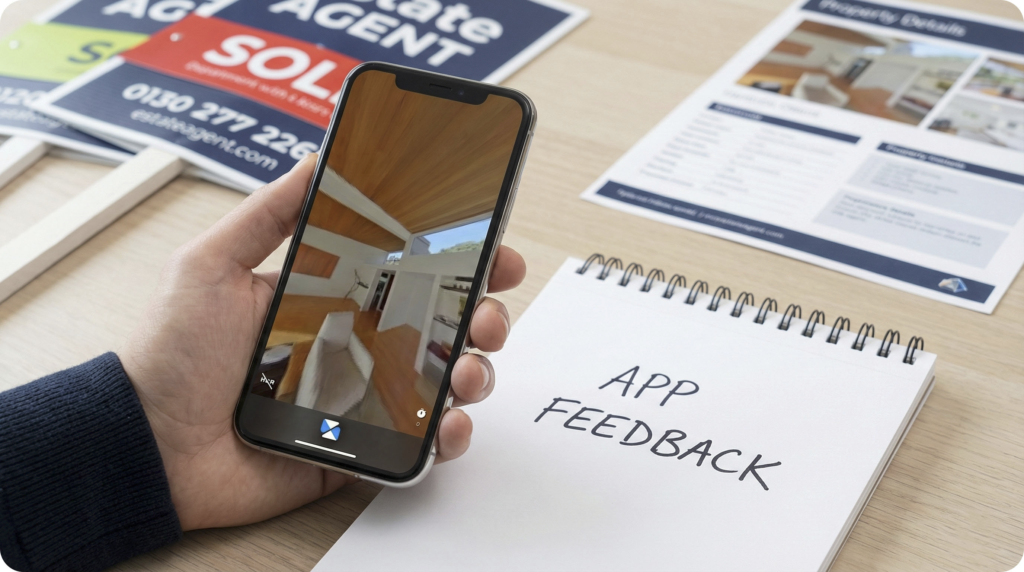
    Since the launch, we have been hard at work on the next phase of development, and we have some exciting new features in the pipeline. But to make the Made Snappy 360 App truly the best tool in your pocket, we need your input. You are the one out in the field using it, so we want to know:

    • Is there a feature that would make your life easier?
    • Is there a part of the workflow we could streamline?
    • Do you have a “dream feature” you haven’t seen yet?

    Your feedback drives our roadmap. If you have any ideas, suggestions, or even just thoughts on your experience so far, please don’t hesitate to reach out to the team via the form below. Let’s build the future of property marketing together.

    App Feedback

    Download It Today

    Don’t let another listing go by without the power of 360° capture. Head over to your app store of choice and get started today:

    Download on the Apple App Store

    Get it on Google Play

  • The Made Snappy 360 App is Live!

    We’re excited to announce the launch of the Made Snappy 360 app, now available on Google Play and the Apple App Store.

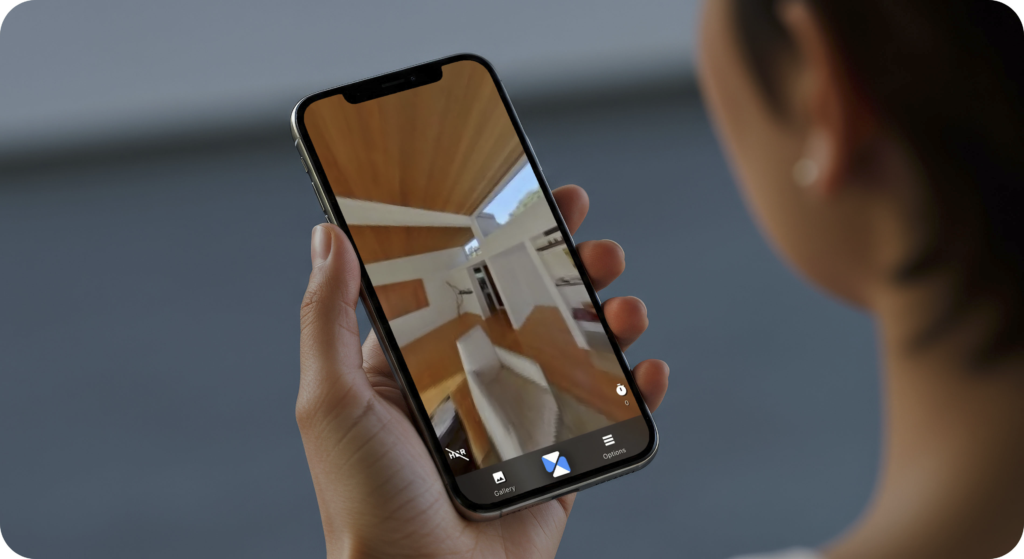
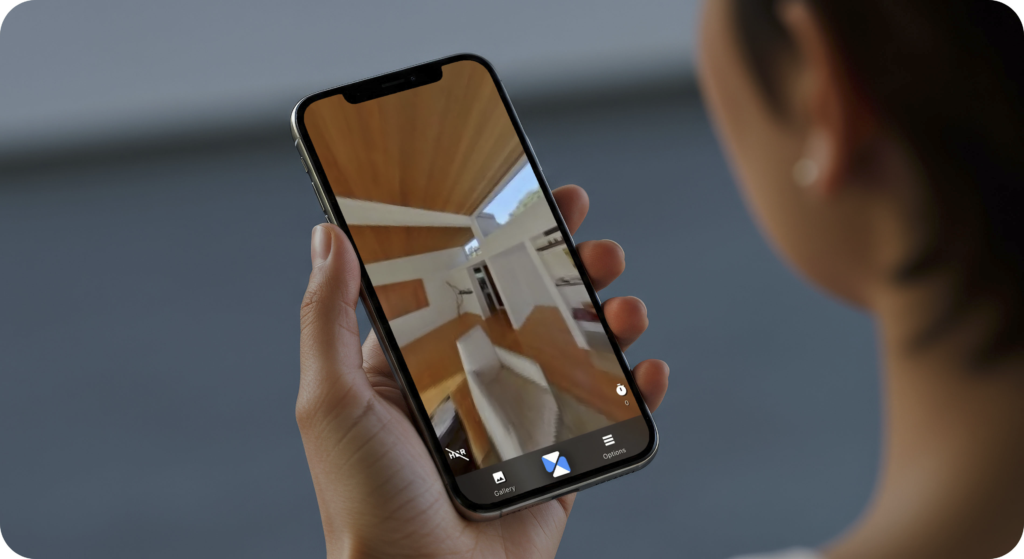
    The Made Snappy 360 app is built for taking 360 photos with our provided camera kit, allowing you to capture each room of a property, and then view those images instantly.

    What the Made Snappy App Does

    • Take immersive 360° photos of each room
    • View photos from every angle
    • Experience spaces exactly as they were captured

    What’s Coming Next

    We’re already working on the next phase of the app. We’re planning to add more features moving forward. Please do get in contact with the team if you have any ideas!

    For existing customers of Made Snappy, the 360-camera used with the app is included as part of your subscription kit, so you’re ready to get started right away.

    Available Now

    Get it on Google Play

    Download on iOS