
HOW TO REMOVE 2D PHOTO WATERMARKING FOR RIGHTMOVE
Remove 2D Photo Watermarking
Rightmove have strict rules about what they do and don’t accept for watermarks on their 2D images. We will add the logo given to us in most cases, however, we are unable to check whether this is in meeting with their guidelines. This is something that should be checked prior to sending to us your desired watermark.
Rightmove’s guidelines:
To make sure your images are presented clearly if watermarked, only white, translucent watermarks may be used, and they may be no larger than one-quarter of the overall image size. Watermarks should be white (for images) or grayscale (for floorplans). Opacity of watermarks should be 30% or lower. Logos may be used, but watermarks are only for the purpose of preventing image copyright and should contain no further messaging.
What does this mean?
When sending us a logo, you should ensure that you send one which is fully white with a transparent background, as shown:
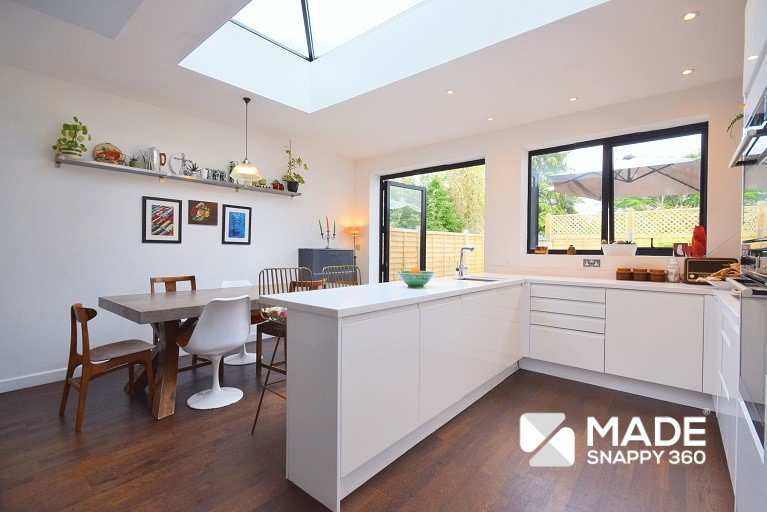
Alternatively, if you were to use a logo like the one shown below:
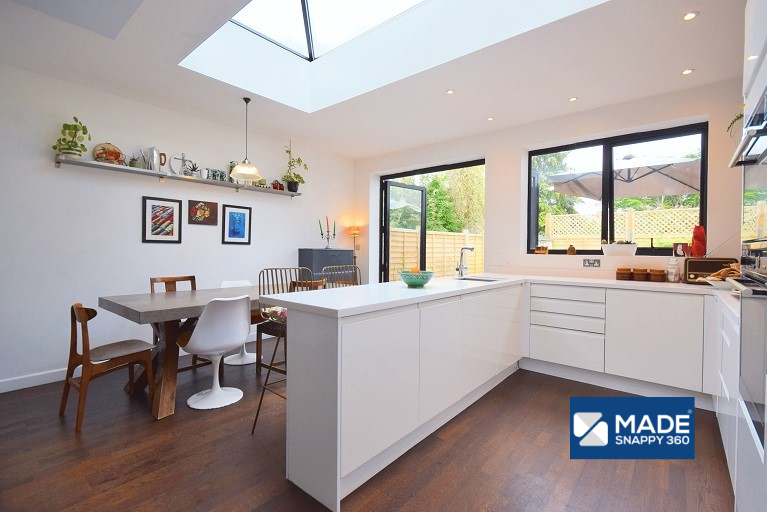
As this logo is on a blue background, this would not be accepted and will become flagged on Rightmove’s end.
We are unable to edit a logo to remove any background and only include white text. To ensure that the logo is visible over an image, any submitted logos should always be in a .png file format, as this ensures that there is a transparent background on the watermark.
When loading a watermark, our system ensures that the rest of Rightmoves policies on watermarking are followed. By ensuring that you have only used a logo with a white background, this means that your images will be watermarked without any issues.