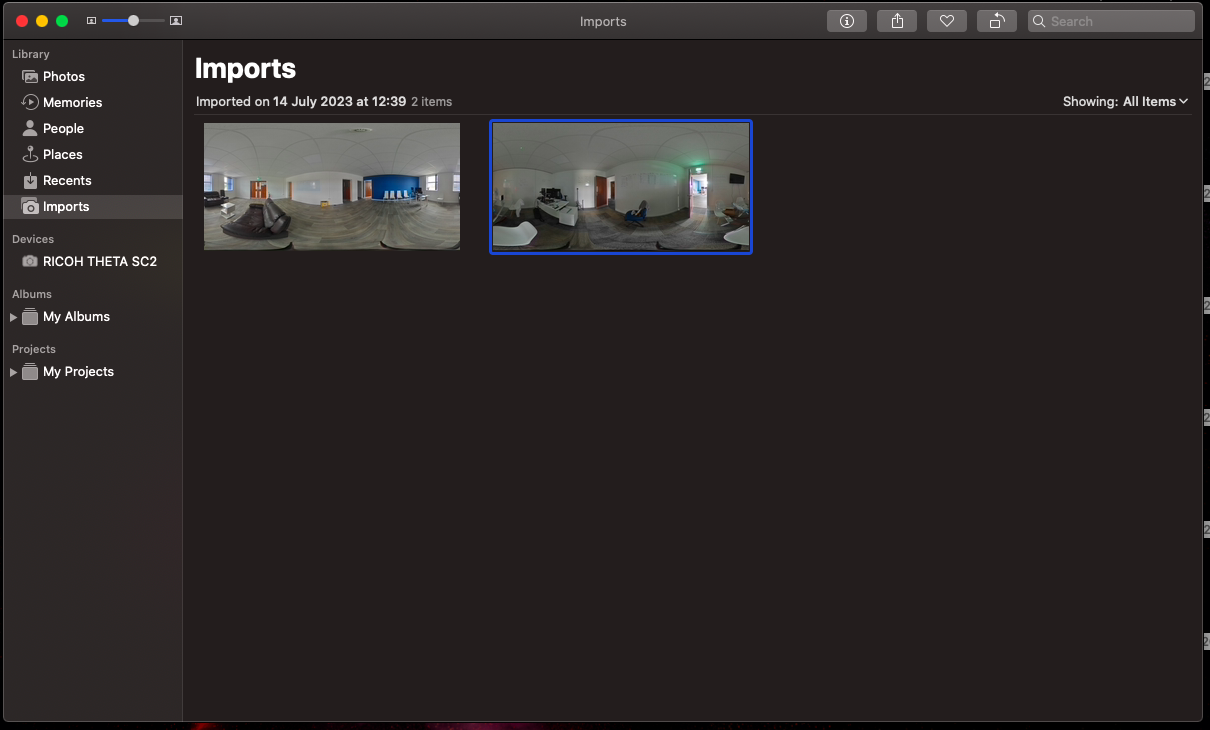
HOW TO IMPORT PHOTOS ON A MAC
Importing Photos on a Mac
When using an Apple Mac to import photographs from a Ricoh Camera follow this step-by-step process to import your 360 images.
01
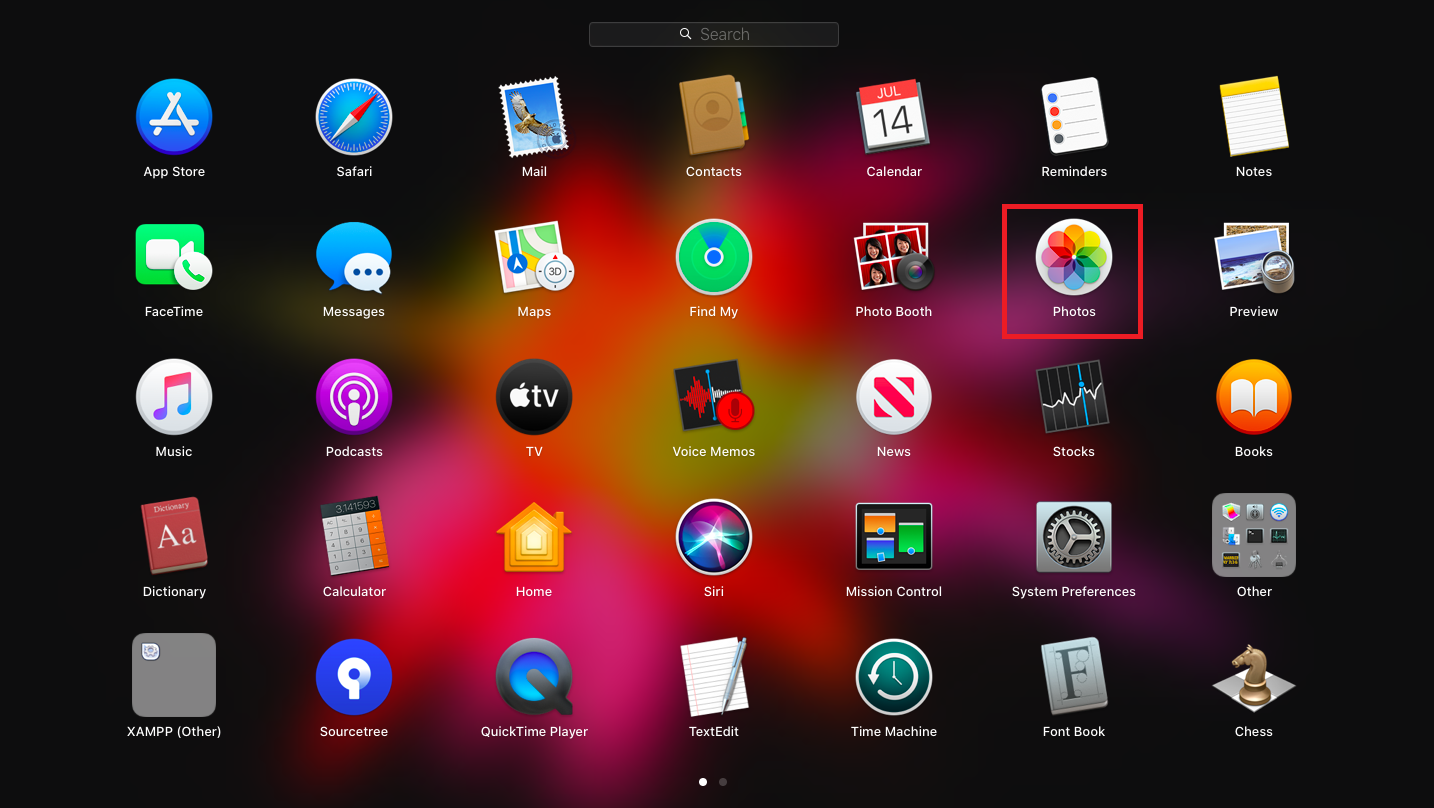
Open ‘Photos’
This may be on your Dock, or in ‘Launchpad’ as seen above
02
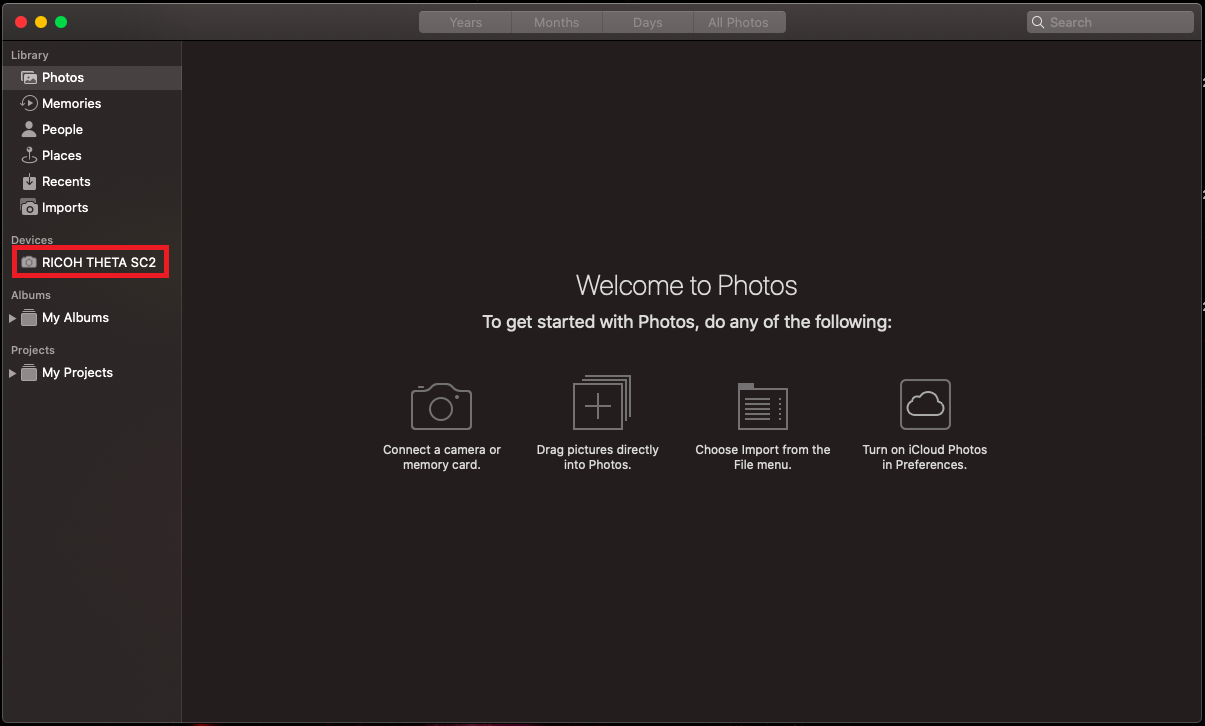
Select your device
This will be in the menu bar on the left of the window
03
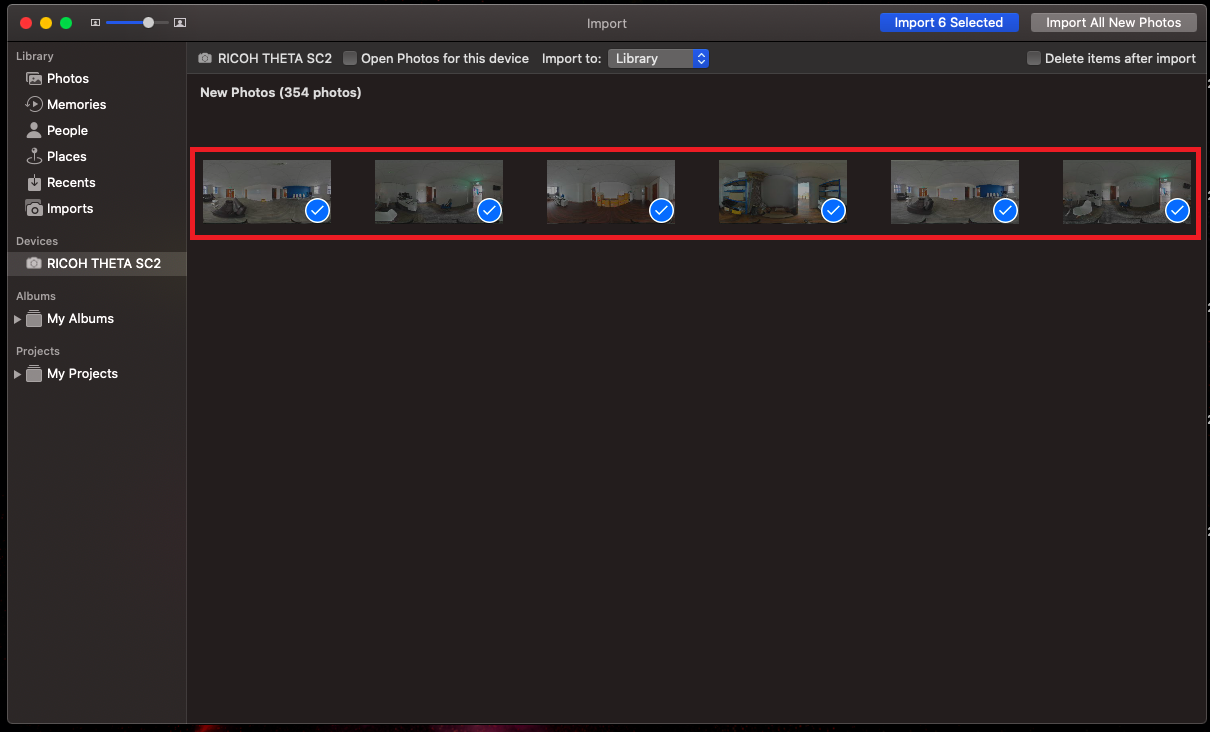
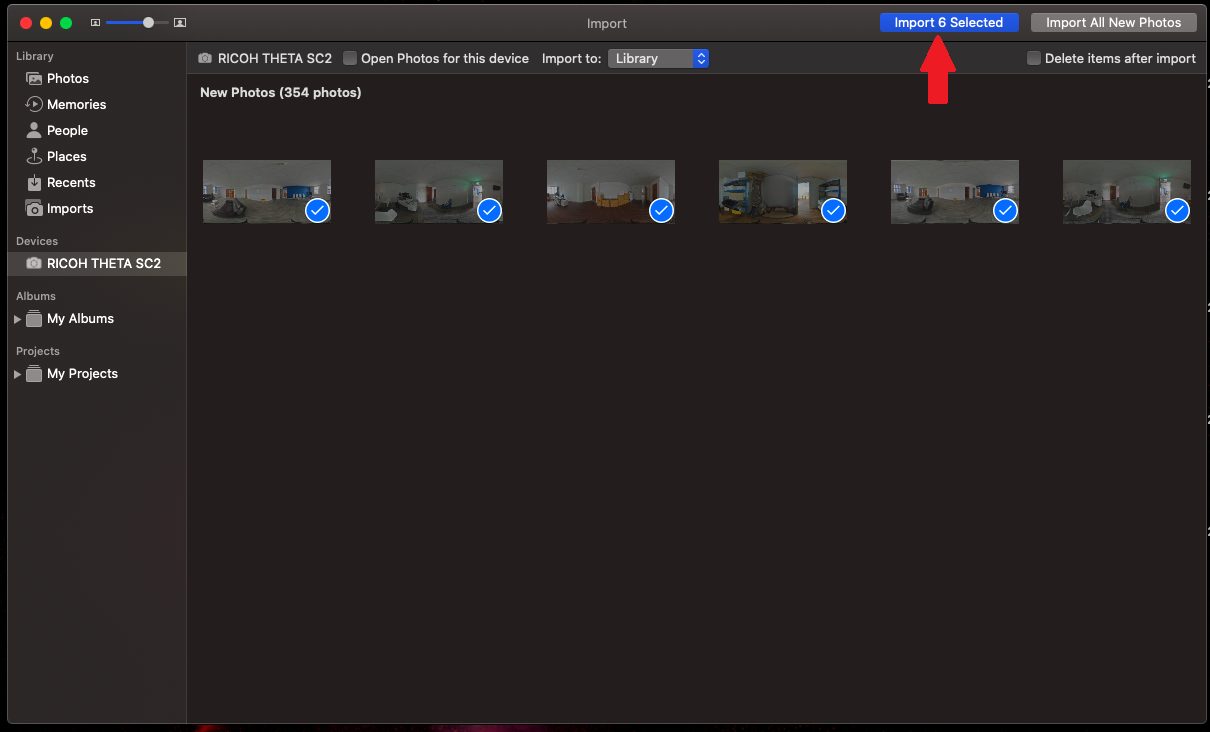
Select the photos
At this point, if you would like the images saved in a particular place, select ‘New Folder’ next to ‘Import To:’
04
Select ‘Import Selected’
This will take you to your ‘Imports’ Page
05
Drag your images
On this page, you will be able to select and drag the images you wish to use, either into a folder of your choice or directly onto our page